Tessera-Quote-2026.pdf
PDF · 3 pages · 120 KBA PDF. Its own title is Quote for Tessera website.
This may be your only copy
The link was a temporary one, so it has expired.
A Mac app by nicoleslittlebrother
Every screenshot gets a name from its own text. Every download says where it came from, and whether it may be your only copy. Nothing moves until you press Apply.
With Apple for review since 31 Oct
Look free. Pay once to tidy as often as you like. macOS 26 or later
This may be your only copy12 Mar · Saved by Chrome
Tessera-Quote-2026.pdf, from drive.usercontent.google.com. The link was a temporary one, so it has expired.
Shown with Rolltop’s demo: made-up files, counts from one real Mac. Nothing has moved yet, and nothing moves until you press Apply.
Screenshots
36 to name · read on this Mac
Rolltop reads the text in each screenshot on your Mac, and picks the line the picture is about. It never makes up a word, and the date always stays. The line it read is marked on the picture; the others are there to choose instead.
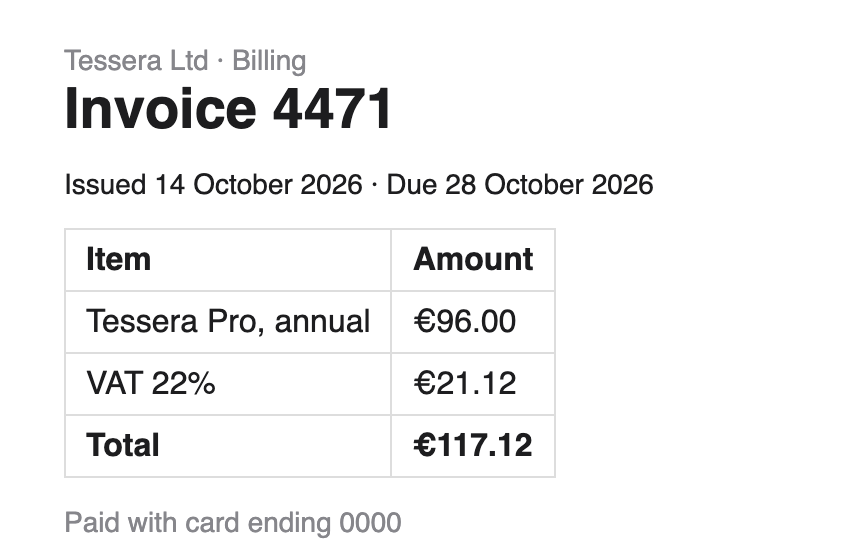
As it arrived
Screenshot 2026-10-31 at 18.06.00.png
Read from the picture, on this Mac
Invoice 4471— 31 Oct 2026 at 18.06
Also in the pictureTessera Ltd€117.12Due 28 October 2026
Screenshots / 2026-10
Five more of the demo’s 36. Each keeps its date and time.
Downloads
273 explained
The site, the app that saved it and the day, as macOS recorded them. Then what happens if you remove it: whether you have another copy on this Mac, or whether this may be your only copy, always with the reason.
Tessera-Quote-2026.pdf
PDF · 3 pages · 120 KBA PDF. Its own title is Quote for Tessera website.
The link was a temporary one, so it has expired.
Saved from Slack · 3 Oct
Harbor-Brand-Kit.zip
You have another copyThe folder “Harbor-Brand-Kit” beside it holds everything inside it.
Sent by AirDrop · 21 Oct
Quillstone 3.0 launch.mp4
Your callWhoever sent it by AirDrop may still have it.
Saved from an email in Mail · 29 Oct
Wayfarer floor plan v3.pdf
Your callIt may still be in Mail, with the email it came in.
Saved by Chrome · 18 Sep
Northwind Budget 2027 (1).xlsx
You have another copySame as “Northwind Budget 2027.xlsx”, byte for byte.
You have another copy
Only when Rolltop can check it: a file the same byte for byte, a zip already unpacked beside it, or an installer whose app is in Applications.This may be your only copy
When the link it came from was a temporary one, so it has expired, or it came from this Mac or your network.Your call
Everything else, with where it may still be: in Slack with the message it came in, in Mail, or with whoever sent it by AirDrop.A private key
Keep it somewhere safer, like a password manager, then remove this copy. Private keys in Downloads get a calm note, never an alarm, and Rolltop never opens them.AuthKey_DEMO1234.p8 · 257 bytesWhere your downloads come from
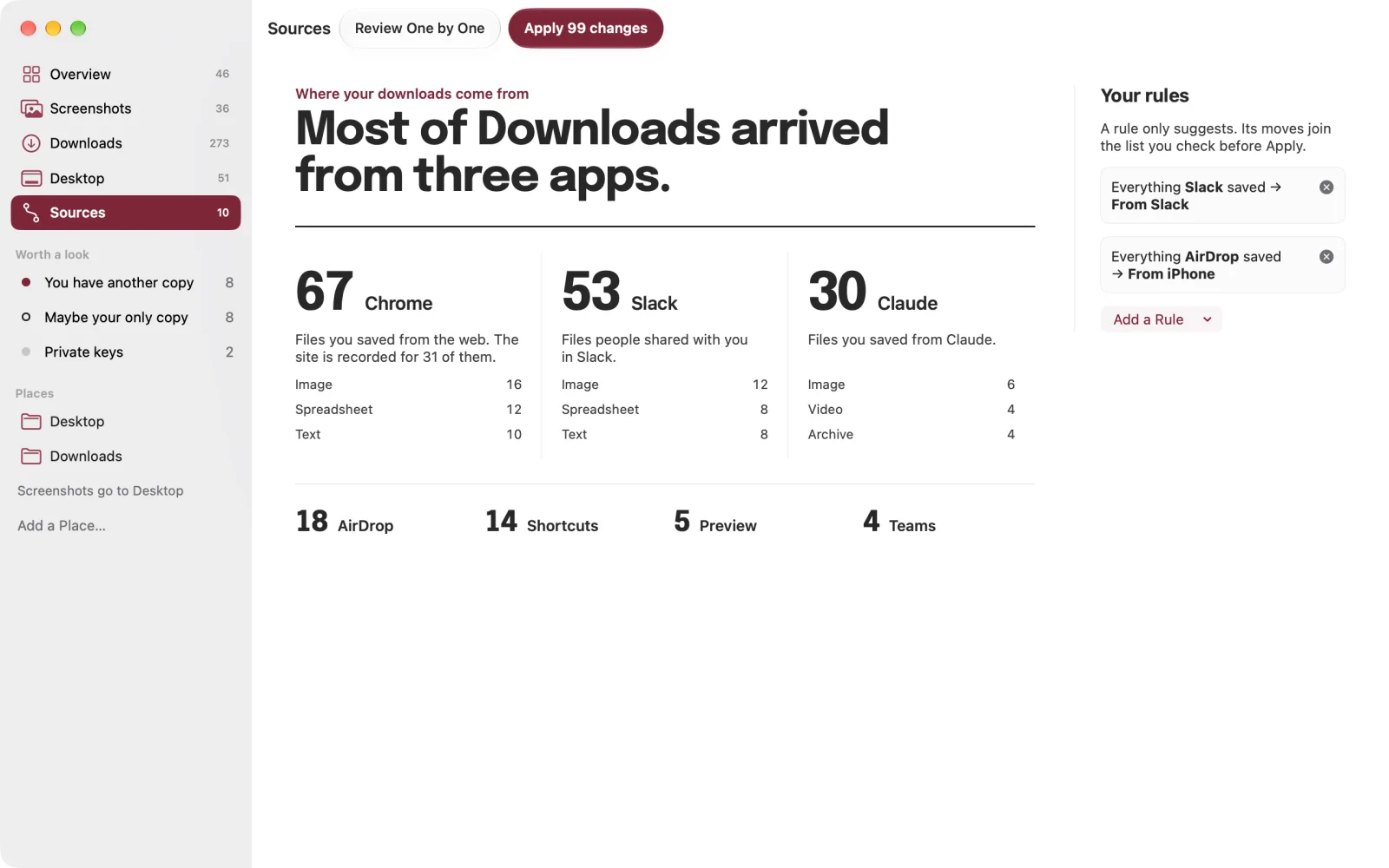
273 in Downloads
67Chrome
Files you saved from the web. The site is recorded for 31 of them.
53Slack
Files people shared with you in Slack.
30Claude
Files you saved from Claude.
18AirDrop14Shortcuts5Preview4Teams
The demo’s counts are from one real Mac’s Downloads; the file names on this page are made up.
47 apps and 49 sites, each said in plain words: “Saved by Chrome”, “Sent by AirDrop”, “Saved from an email in Mail”. A file from anywhere else is still explained with what macOS recorded. Every app and site
Apply and Undo
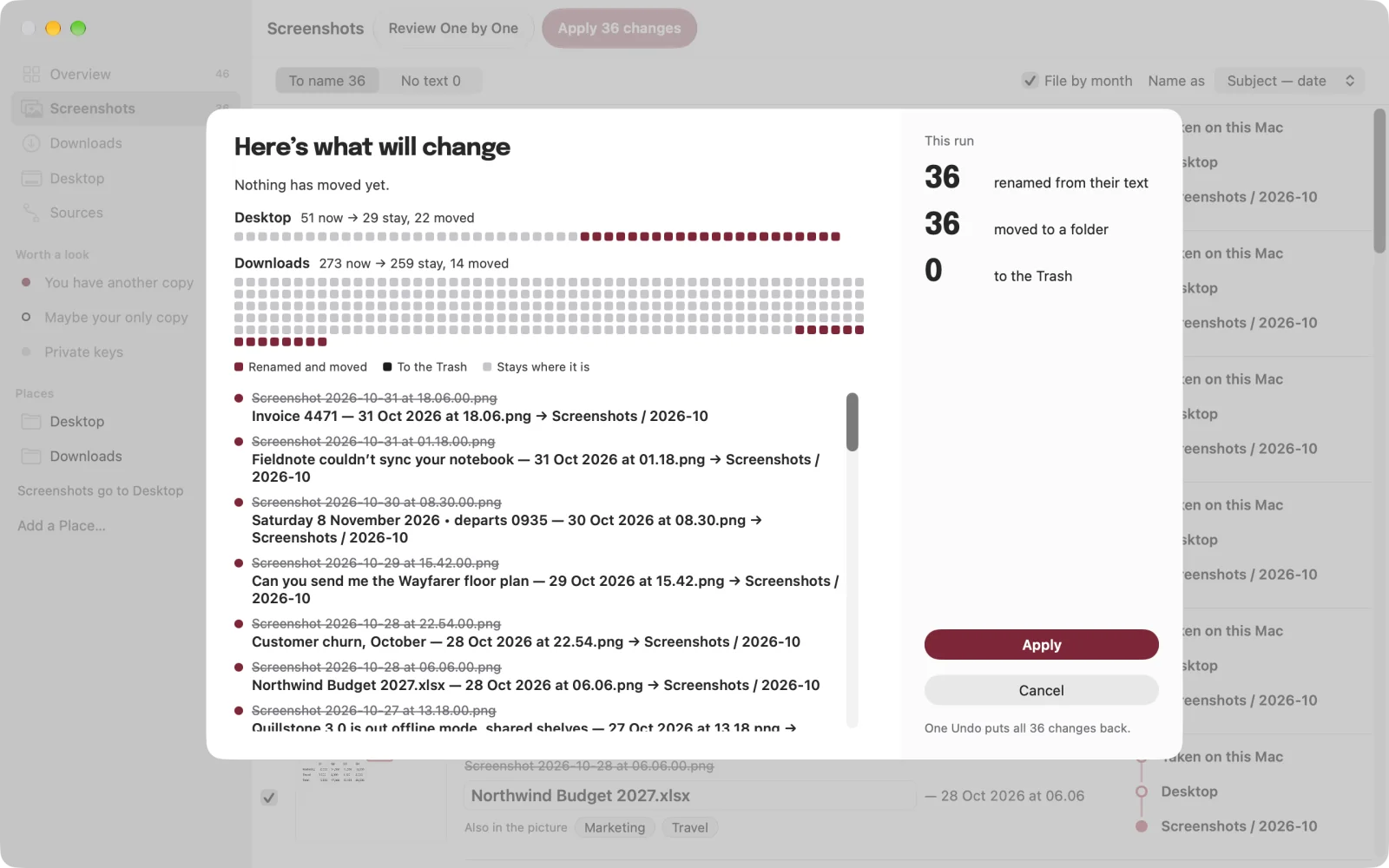
Nothing has moved yet
Every rename, move and move to the Trash waits in one list. Before each run you see where every file ends up, and one Undo puts the whole run back. Removing means the Trash, so Put Back works.
Turn on watching and the menu bar, and each new screenshot is read as it arrives. Names wait for you; nothing is renamed by itself. Watching, the menu bar and Open at login are all off until you turn them on.
How it looks
Shown with Rolltop’s demo: made-up files, counts from one real Mac.
One sentence first, with a number. Then the screenshots and their names, the downloads and where they came from.
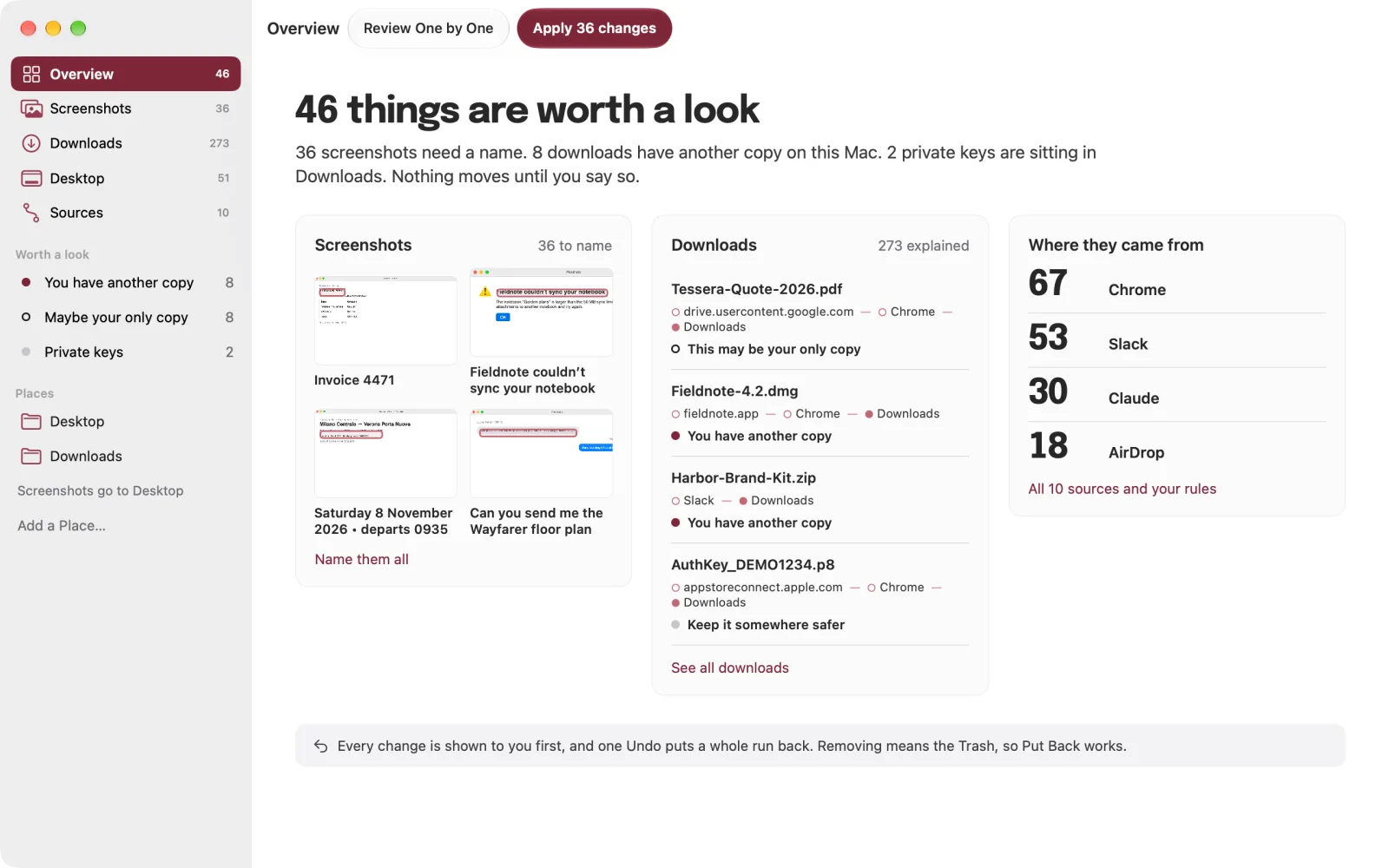
Each old name struck through, the name read from the picture, other lines to choose instead, and where it’s going.
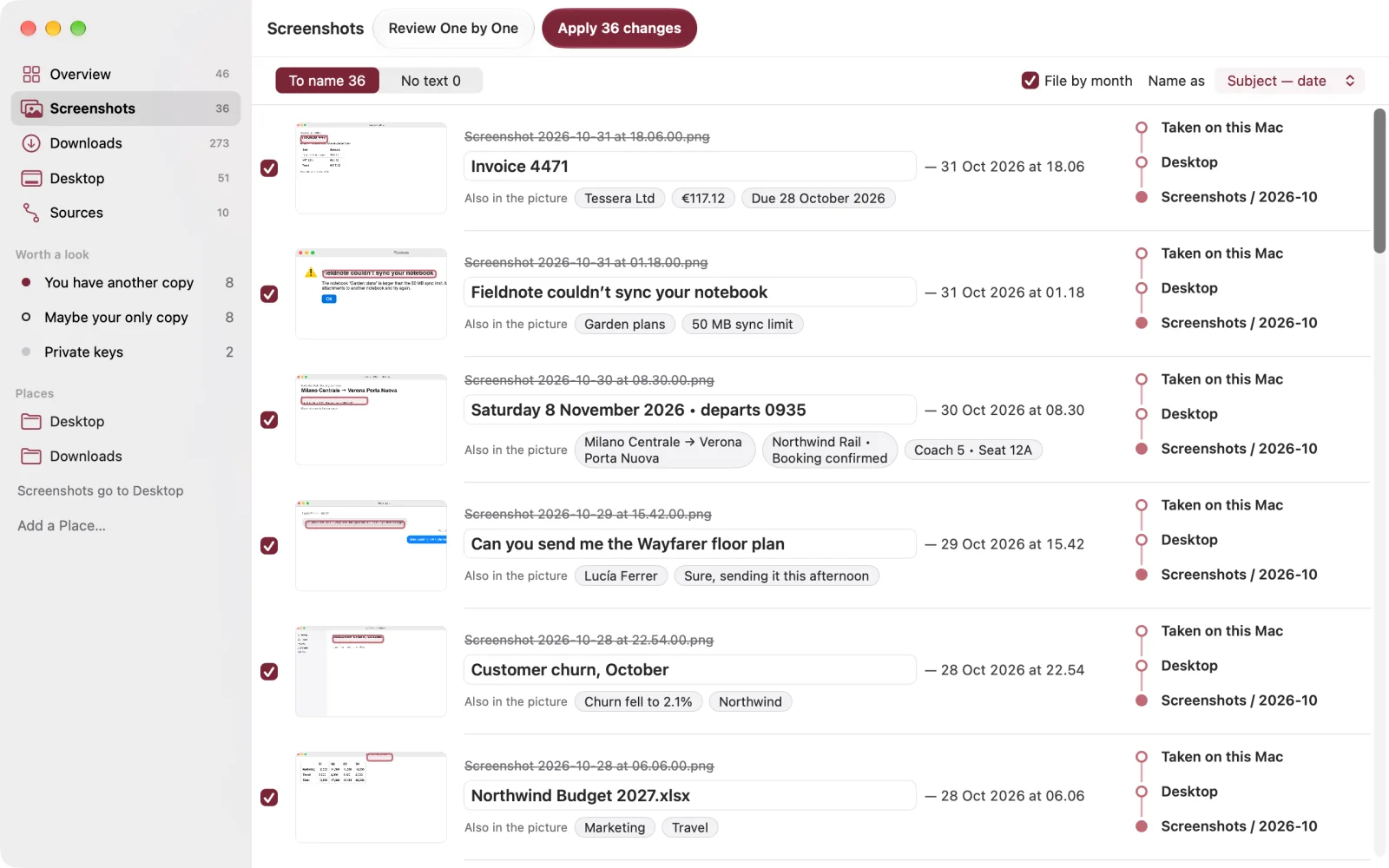
Every file with its site, the app that saved it, and what happens if you remove it. The details explain each one.
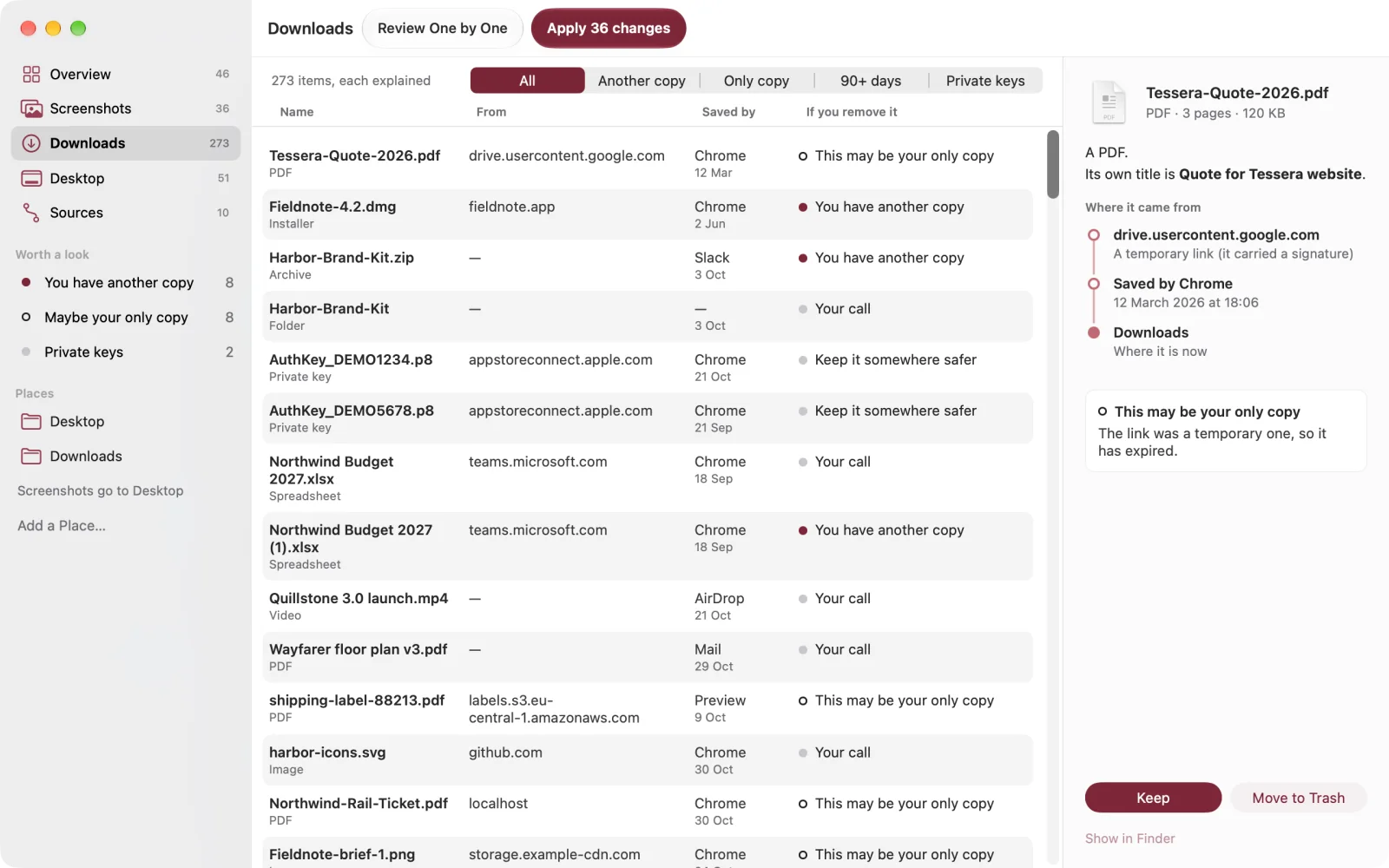
Every change, before anything moves. One Undo puts the whole run back.
Where your downloads come from, and rules that file what one app saves.
The film
1:33
Rolltop only sees the folders you choose. It has no network access at all: no account, no analytics, no server of ours. The text in your screenshots is read on your Mac, and keys are never opened. The privacy policy
Price
€4.99 once
Free, always
€0
Unlocked, once
€4.99once
£4.99 in the UK and $4.99 in the US, with Apple’s matching price elsewhere. No subscription. No account. Bought through the Mac App Store.
Questions
No. Rolltop can’t reach the internet at all: the text in your screenshots is read on your Mac, and there’s no account, no analytics and no server of ours.
From the picture. Rolltop reads the text in a screenshot and picks the line it’s about, so a name is always words that are in it. The date stays. You can type over any name, and a line that looks like a password or a key is never offered.
No. Nothing is renamed, moved or removed until you press Apply, and you see every change first. Removing means the Trash, so Put Back works, and one Undo puts a whole run back.
Only from facts it can check on your Mac: a file the same byte for byte, a zip already unpacked beside it, or an installer whose app is in Applications. Anything it can’t check is your call.
No. Rolltop never adds up gigabytes and never looks in your Library folder. Need space? That’s Cachet.
Looking is free: every screenshot named, every download explained, and acting on one file at a time. One €4.99 purchase adds whole runs, filing by month, archiving old downloads, rules, watching for new screenshots and two Shortcuts actions. No subscription.
With Apple for review since 31 Oct